Scid vs PC. Thoughts About The Getting Started Process

I think I now have the very basics of Scid vs PC together. Initially I was somewhat hesitant to get involved with the setup because I wasn’t really sure where to go or what to download. And because I wanted to focus on other things chess. Then there was the word “database”, which can often translate to “Byzantine”, which was also a turnoff. To try to warm up to the idea I watched parts of a few (mostly dry) videos and chose to dive in.

Here’s how I got started:

I downloaded Scid vs PC here.

I ultimately decided to start with just the OTB (Over The Board) files at Lumbra’s Gigabase. It’s actually about ten zipped files containing 9 million+ games of OTB, split up by years or decades (or more). The free unzip utility I used was 7-Zip (here).

The “trick” is to download all of the zip files, create a new database on Scid vs PC, then load each unzipped file into that database so all the games are in one larger db file. Then save *that* file to a new name. That’s the file to be used going forward.

There are millions of online games available at Lumbra’s as well. My feeling is that I may download them at some point, but for now I’m mainly interested in parsing the database for masters OTB games. For example: as White when I play e4 and Black responds with the French defense – I like to play the Tarrasch variation. For model games I can search the main database for just that ECO code, and further narrow my search for GMs I’d like to try to emulate in that opening, for example, Michael Adams. Even better, search terms can also include things like “White Wins”, or “Only games with between X and Y total moves.” I used that last feature to remove super long games since what what I’m really interested in are the openings and middlegames — I can study endgames separately. All of these options are available in the General Filter.

In Scid vs PC there is always a “scratch pad” database open called “Clipbase”. If I search and get say 15 games from one GM and 20 from another, it’s literally a drag and drop process to combine all of those games into the Clipbase, which can then be saved as a new database or exported as PGN game files (or a bunch of other options I haven’t really played with yet.) Note that Clipbase doesn’t and won’t save, so make sure to save what’s in Clipbase as something else if you care about the contents before you close the program.

One neat thing about the PGN export option is that by combining the model games into groups of a maximum of 64 PGNs they can then be easily imported into (also totally free! yay!) Lichess Studies, and Lichess Studies automatically divide the PGN files out into one game per Chapter. So I can have a Study of model games of one particular opening I’m interested in, (or one GMs selected games), and I can share those Studies with friends. (If you want the Study to stay “yours” then Select Unlisted (no one else can see) when creating it and invite your friends as Members. It’s also possible to set “Allow Cloning” and “Share and Export” to “Only Me” if you’re concerned with a Study getting broadcast. There’s no way to “un-ring the bell” if a Study gets public.)

A Note regarding importing bulk PGNs into a Lichess Study: I like to work through model games with the color I intend to be playing at the bottom of the screen — Lichess Studies give you that option to have Black or White at the bottom at the time that you import. If you forget to toggle Black or White at the bottom during a bulk game import then the only way to flip the games is one at a time. Which means you’re better served just trashing the Study and getting the import orientation right the second time.

With Scid vs PC it’s possible to download different analysis engines. It’s also possible to download your own games from your chess website of choice. I haven’t done it yet but you can search the database for specific positions, or specific pawn structures, or search by the material that each side has remaining.

That’s not close to everything you can do with Scid vs PC, I’d recommend checking it out. I think it’s a really nice tool that when combined with the Lichess Studies makes viewing selected games on the go very convenient. I’ve also used the Scid vs PC and Lichess Study combo to put games that are in a paperback “Opening” book into a Lichess study, so I can follow along on my phone or laptop rather than getting a board out and moving pieces around.

Again, highly recommended and not nearly as scary as it all sounds.

More Chess On The Brain — And Other Resources

Returning to chess many years later, I’m realizing that “modern theory” didn’t wait around while I was gone. Almost all of the books that I read back in the day were written pre-1960.

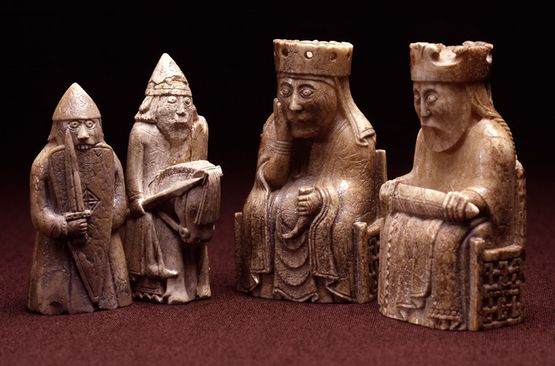
The 12th century Lewis Chessmen

I recently came across Secrets of Modern Chess Strategy: Advances Since Nimzowitsch by John Watson. (Nimzowitsch’s classic “My System” was written in 1925.) I’d heard of Watson’s book, and it happened to be available at the local used book store, so that one has been added to the library. Modern Chess Strategy was written in 1998, which for me qualifies as “new theory”.

In a lot of respects Modern Chess Strategy has been more eye-opening for me than Silman’s How to Reassess Your Chess. (Published 2010). Given the reading foundation I already have, the Silman book seemed like a lot of “I’ve already seen that idea”. Though there are a lot of people who read Silman’s book and attribute significant rating gains to having read it.

All of this is not intended as a dig at How To Reassess Your Chess. Had I not already worked through Pawn Power In Chess (Kmoch), My System, and other old classics, I’m sure Silman’s book would have opened up my mind to a lot of things that I’d previously had no idea about.


So that’s not where intended this blog entry to go…

My phone has been acquiring an increasing number of Chess apps and website links, with an emphasis on free stuff. I might be fine with paying a one-time fee for some of these sites, or making a donation, but I’m not going to sign up for several hundred dollars annually in courses and membership fees. There are some instances better database manipulation would be nice, but I have no intention of ever turning pro, so I can live with my workarounds. Chess can be an almost free hobby if you want it to be.

Listed below is online stuff I’ve been using. Note that I’m not covering all of the features available for each, just the features I’m using right now. Most of these offer games and training at the very least:

The Lichess app, Lichess.org, and Listudy: The Lichess app is where I spend most of my chess time. All free, no ads, free studies about nearly any chess subject. You can even personalize studies if you choose to. Or create your own study with the subject you’re focused on. Terrific resources. Lichess.org is the web version which offers some different functionality. Listudy is maintained by a different group of people I think, and offers some training and studies.

Chess.com: Monetized through and through. Some good free stuff available but if you’re not willing to pay a monthly fee then many or most of the useful things are behind a paywall. For me that’s a hard pass.

Chessbook: I’ve been using this for spaced repetition opening training. The free limit is 100 moves per side per color. That worked fine when I could fit all of my white openings with only a few lines each under the limit. I’m now to the point where I can practice a subset of the current white opening that I’m working on, so I’ve broken the opening into smaller modules that I can save and swap out when I want to work on something else. Again, workarounds.

PGN files: Mostly freely available from virtually every site. Games, openings, studies, you name it. This is (I think) the most common file format for chess content. Many websites and apps will allow you to export your study/opening/game to a PGN file, which you can save and share with other sites or friends. I’m still learning the syntax for writing directly into a PGN file — it hasn’t been a priority yet so it hasn’t happened.

Scid vs PC: A PGN Database handler, among other things. I’ll be using this a lot more in the future. You can import games/ openings/ studies, etc in PGN form. It allows for chess engine plug-ins. It’s free in contrast to many other options. I haven’t had the time to really explore this yet either, but I think it’s going to get a lot of use.

Chessable: I’ve started using Chessable a little more lately. They offer free courses, with a whole bunch more courses behind a paywall. There are a couple of free openings courses that I’m working through, but I don’t know what my long-term relationship with that site is going to look like. I do think there’s some functionality I haven’t really looked at yet, so maybe I’ll be singing a very different tune later.

QChess.net: Pretty new, and I only happened across it last week. There’s a searchable database and an opening trainer, among other features.

Chess Tempo: Has both an app and a web presence. I’ve been using its Advanced DB search to look for particular players playing particular openings. It offers many other features as well that I haven’t delved into yet.

And that’s what I’ve found in the first couple of months. I know that I’m missing a bunch of quality sites and quality content creators. This blog post will likely need a revisit at some point.

As for me, I’m not playing a ton of games, and I started out with a relatively not-awesome Lichess Rapid rating, but my win rate remains high and I’m gaining a significant amount of rating each month. I’m sure there’s a plateau coming eventually but I haven’t hit it yet. “To Infinity And Beyond!” …. No, of course not. But the journey is fun.

Returning To Chess As An Adult Learner

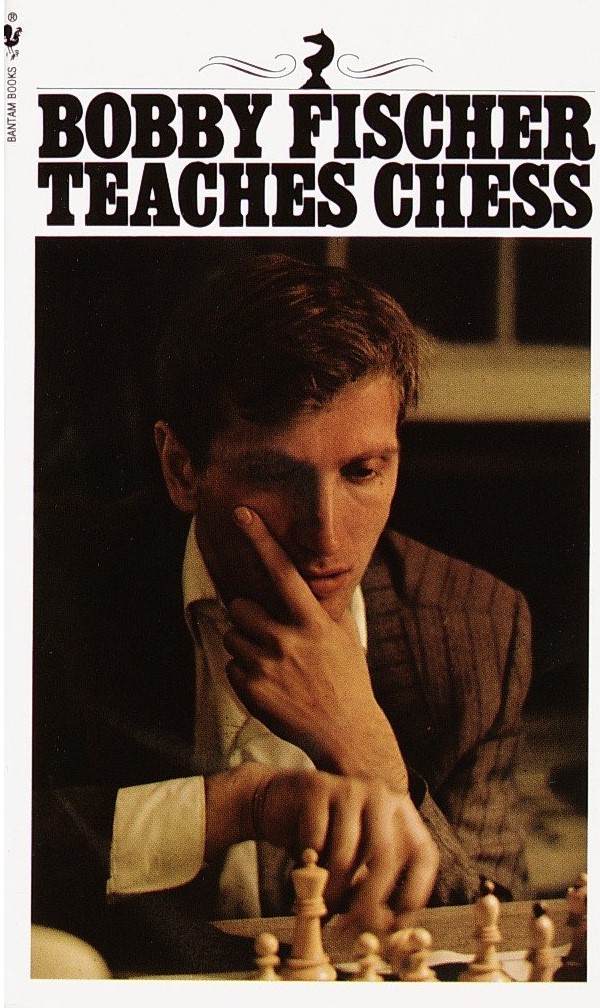
Before home internet. That’s the last time I would have been considered an “active” chess player. At that time the resources for learning were either books or people. Back then I was a member of the local chess club, and I had a small handful of books including Bobby Fischer Teaches Chess, Pawn Power In Chess by Hans Kmoch, Nimzovich’s My System, and a massive encyclopedia of openings that probably dated from the 1970s.

I recently got the bug again. I did some internet reading, and started watching a few Youtube videos. I loaded the Lichess app onto my phone (totally free and no ads!), and after a couple of games against bots decided to try some rated 10+5 games (10 minutes + 5 seconds added per move).

To backtrack just a bit — when I played at the club a zillion years ago many of the players were better than I was. Everyone had favorite openings and pretty much stuck to them. My openings were mostly sharp, tactical, and study intensive because I liked games like that. (Ruy Lopez or Sicilian Dragon as white, Sicilian Dragon as black when I could get them. I was trying to attack and channel Fischer and Alekhine.) Overall though, the whole experience was pretty controlled and genteel.

When I recently started playing online I discovered I was playing against a large percentage of people who would substitute traps, straight aggression, or just insane crazy moves in place of what I’d call an “opening”. Initially I had trouble with it and it’s taken a little while to adjust, but by now I’ve figured out that if I just play it cool and “sound” — most of that stuff blows up at some point and I’ll have a superior position. But it’s wild, at the level where I am there’s a lot of rock fights.

So now I’d be considered an Adult Learner. Or Adult Improver if was ambitious and trying for a high rating. What that means to the community is that I have interest in the game but I also have a very definite ceiling as to how far I could reasonably advance, mostly due to lack of a malleable brain and a finite time available for commitment. Which is fine with me, I’m having fun with it. I enjoy the learning and I enjoy the competitiveness of playing the games. I do want to improve but I don’t have any illusions of ever getting to be better than the level of a respectable club player.

I’ll close with a few things that have been helpful for me getting back into the swing of it after a very long time away.

For Youtube: I watched all of the Chessbrahs Building Habits series. Building Habits is pretty universally recommended and it helped me feel much more comfortable and confident. I watched a number of Gothamchess videos (Levy Roseman). Lately it’s been Daniel Naroditsky, who to my mind does the best job of teaching more advanced concepts and getting deeper into the positions and potential positions in his games.

For general books: How To Reassess Your Chess: Chess Mastery Through Chess Imbalances by Jeremy Silman (4th ed). By far the most recommended book I’ve seen and for good reason. It covers some of everything. I can do without some of the writing style, but it was a very good refresher for a lot of concepts for me with a few new ideas sprinkled in. Lots of people say they get better after reading this book. His endgame book is very highly regarded as well. I own it, but I haven’t gotten deeply into it yet.

I also feel more comfortable when I have openings to refer to as a templates for piece and pawn placement. For me, even learning 5-7 moves into a smallish numbers of common openings helps me not wind up all twisted going into the midgame. My pieces tend to wind up better deployed if I have the framework of an idea to work around.

I always played e4 (Kings Pawn) back in the day (The Fischer influence, again). Returning to chess, I was looking for a repertoire that wouldn’t require a ton of study and matched what I think I want the games to broadly look like. I landed on A Simple Chess Opening Repertoire For White by Sam Collins. It includes some openings I had already independently decided I was going to use, such as the Alapin Sicilian against …c5 and the Italian Game against …e5 . There were a few of other commonalities as well. The overall theme of the book is sound openings requiring limited study where I can still start with my preferred e4. The repertoire is based around white steering the game into Isolated Queens Pawn (IQP) structures, where the white advantage is to come from superior familiarity with the ideas of the position. The IQP approach is newish to me, but I happened to spend part of a week in a cabin in the woods with the book and no internet, and I’ve now worked through most of the main lines presented. I think the framework has promise.

———

Thoughts about the blog:

I used to write about games fairly frequently here. Given that chess currently has my interest I’d imagine I’ll be posting about the subject as well going forward. I can also see my sourdough baking getting more attention. We’ll see what else gets my attention next — I was feeling in a rut, and today’s chess post is fresh air.

Recommended Game — Starship Catan

by A.J. Coltrane

Title:  Starship Catan

Game Type:  Exploration/ Euro-style resource allocation, shares traits with the other Catan titles.

Number of Players:   2

Complexity of Rules:  Low-Medium/ Medium

Time to Play:   60 minutes

The Concept:   Each player controls a spaceship. In the quote box is further explanation from boardgamegeek (I can’t improve on it, so here it is) –

Players explore randomly shuffled decks of cards [ed: star sectors] looking for potential colonies, good trading deals, opportunities to help planets, and either avoid or combat pirates. Players can upgrade their ships’ systems, including weapons to combat the pirates, thrusters to be able to explore further each turn, scanners to see (and avoid) cards that are coming up, and several others. Victory Points are earned by establishing colonies, building upgraded ship’s systems, having the most friendship points, and having the most hero points. The first player to 10 Victory Points wins.

Why I Like It:  Like many of the other Catan and Euro games, it’s about the tradeoff between what you have, what you want, what you need now, and what you’re building towards. As the sectors are explored, the pirates get bigger and nastier, and the danger ramps up.

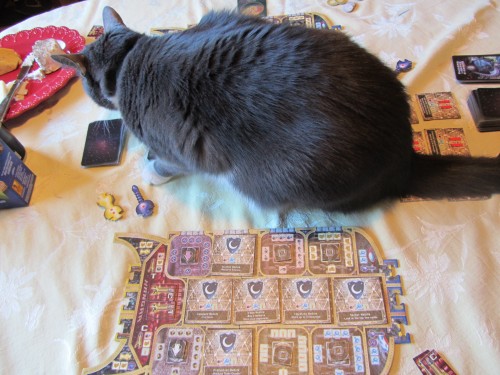
The game features good-sized cardboard cutouts that represent the ships. You can see it in the picture below. The yellow token attaches to the back of the ship and represents an engine. The blue pointy token goes in the front and represents cannons. The arrows in the middle of the ship point to how much of a particular resource that you have. The squares represent different bays of the ship that can be upgraded for a cost. There are also the Colony and Trade pods at the back. Collect resources by exploring the sectors and upgrade as you think is appropriate. .

The boy cat was interested in playing too:

starship catan and boy cat

Starship Catan is now out of print. The going rate on ebay is $22-34. We recently purchased a 2nd copy on ebay with the idea of keeping one “nice” copy. As it turns out, the one purchased on ebay is in better shape, so it’s now the “keeper”. Highly recommended.

Recommended Game – Borderlands 2

by A.J. Coltrane

Recommended Game:  Borderlands 2

Borderlands 2 is a first person shooter set in a futuristic Mad Max/ Western/ The World Is Running Down setting. It’s a high tech wasteland where the toilets don’t usually work. It’s sort of Halo mixed with equal parts Diablo II.

Why I like it:

The Diablo series is famous for its variable loot drops. When defeated, almost every enemy drops loot which may or may not be useful. Every opponent is a potential loot pinata! “What’s going to drop this time?! How will it work with what I already own?!”

Borderlands appoximates this by dropping shields, other goodies, and lots and lots of guns. Bazillions of guns. The guns themselves are collections of a scope, stock, magazine, etc — about seven pieces in all. Each piece of the gun is randomly generated, then all are combined to create the final weapon stats. There are guns that do corrosive damage and fire damage guns and explosive damage guns. There are wildly different fire rates and magazine sizes and damage outputs. The guns often handle *very* differently from one another, so you’ll want to use a different gun for each situation, which is fine. You can equip *four* of them and toggle through them as needed. (Plus another 18ish backpack slots for the other good situational candidates that you just can’t *bear* to sell.)

There are Diablo-style RPG elements to Borderlands 2 as well. As your character levels it gets more powerful and gains helpful special abilities, such as: “Your fire rate is increased by 20% for a few seconds after killing an enemy.” or “Your turret emits a small nuclear blast when deployed.” The leveling means that you outgrow your beloved guns over time, necessitating the constant search for more. You’ll say to yourself — “I need a corrosive sniper rifle for when we’re shooting at robots that are a long way away!” or “I need an explosive damage bullet hose with a huge magazine for crowd control!” Of course, those are just dreams. What actually drops may or may not be exactly what you had in mind, but will it “do”?

Borderlands features split-screen co-op too, so there can be much discussion of who has what, and how do we share to optimize our survivability? “Is your second-best fire damage submachine gun better than mine? Does that shotgun better suit your abilities and playstyle, or mine?” Splitscreen is totally the way to go, the game almost begs for it.

Borderlands 1 is a great game, but the enemy AI is better in Borderlands 2. The enemies are “smarter” in 2 because they don’t just sit still when they’re getting shot at; they’ll duck, roll, or run to another cover, making them a lot more challenging to hit. They also “patrol” when they spawn, rather than just standing there — no more “If I stand here I can head-shot that sentry over there before he can act.”

To sum up:  Borderlands has a fun foul-mouthed sense of humor, and the Bazillions of guns makes for some addictive gameplay and lots of replayability. And it’s fun!

GNOIF, Trains, And Automobiles — The Recap

by A.J. Coltrane

GNOIF #5 Recap — GNOIF, Trains, and Automobiles. (Transportation theme.)

Games That Got Played:  Star Fluxx, Forbidden Island, Lost Cities, Poo, Rocketville, Ticket To Ride Card Game

Games That Didn’t Get Played:  Starship Catan, Robo Rally, Ticket To Ride – Europe

Rocketville was the big surprise hit of the evening — we hadn’t played it before a quick cram session earlier in the day, and the boardgamegeek reviews are Not Good. We had a lot of fun with it though. In brief, it’s a fairly simple card based bid/auction game where you’re trying to campaign to become the mayor of Rocketville. The premise really doesn’t have much to do with anything though…  I think these two reviews line up with my take on it pretty well. The reviews are titled “Blame Avalon Hill (defending Rocketville)”, and, “Not Nearly As Bad As They Say”. Rocketville is recommended for 3-5 players. As one of the reviewers states: It’s probably a better game with three players rather than five, which would decrease the impact of luck on the outcome. It’s also a game that you don’t want to pay full price for — $10-$15 is about right; there’s not enough in the box to justify thirty-five bucks. None of that sounds too encouraging, but I’ll say it again, we *did* have a lot of fun with it!

The other surprise hit was a game that was purchased fairly recently —  Poo:  The Card Game. The premise is that you play as a monkey, and you throw poo at the other monkeys until you’re the only reasonably clean monkey left. There are Poo cards and Clean Cards. And cards like “Buddy’s Face”, which allows you to to interpose your buddy between you and the primate flinging poo at you. It’s a fun game with cute and silly graphics and tiny card text.

I’ve gotta quit scaring people away from Robo Rally if I ever want to play it again…

The boy cat was *very* excited with Rocketville. (He really thinks he fits in that box?)